26.05.00 Release Notes
This release puts more control in your hands. Reset your own password in minutes, and get documents back already searchable - without any extra steps!
IMPROVEMENTS
-
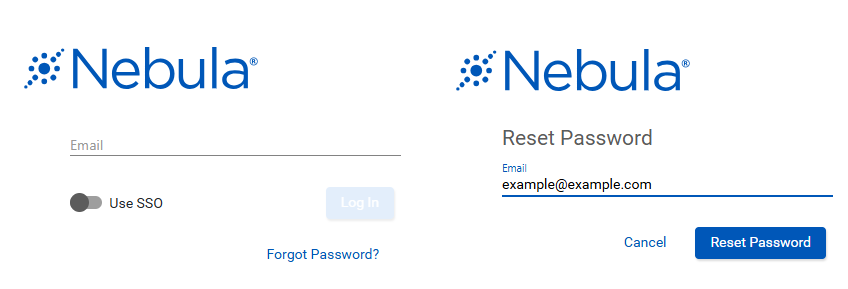
Reset Your Own Password: Locked out? No problem. You can now reset your password directly from the login page - just enter your email, check your inbox, and you'll be back in within minutes. No need to contact support.
-
Client benefit: Instant, self-serve access recovery. No waiting on support tickets.
-
-
If your account was locked due to inactivity or too many failed login attempts, Forgot Password will unlock it automatically once you reset. If your account was manually locked by an Admin, an Admin will need to unlock it first.
-
You can reset your password once every 24 hours. If you need a new link, you can request up to 3 total - as long as you haven't used one yet.
-
Password reset emails come from notifications@passwordreset.ediscovery.com - ask your IT team to whitelist this address if you don't receive the email.
A few things to know:
-
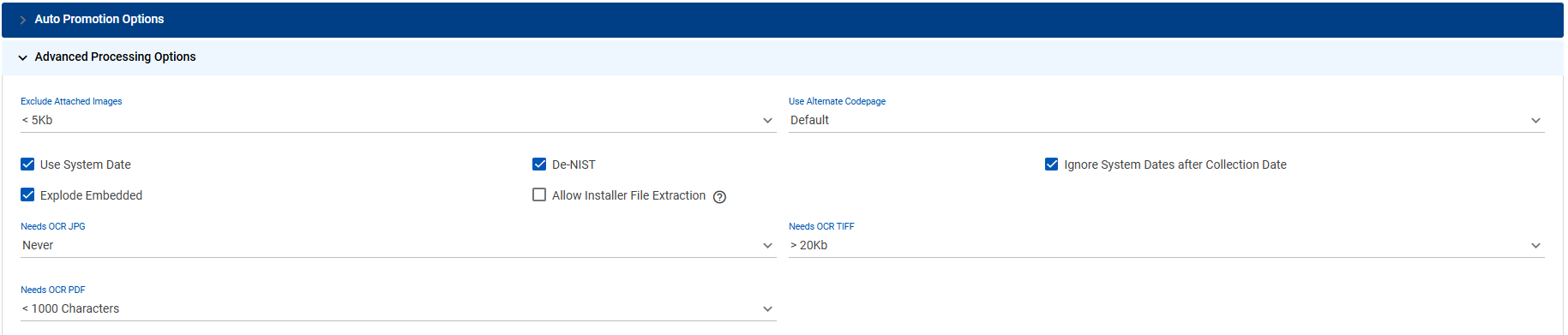
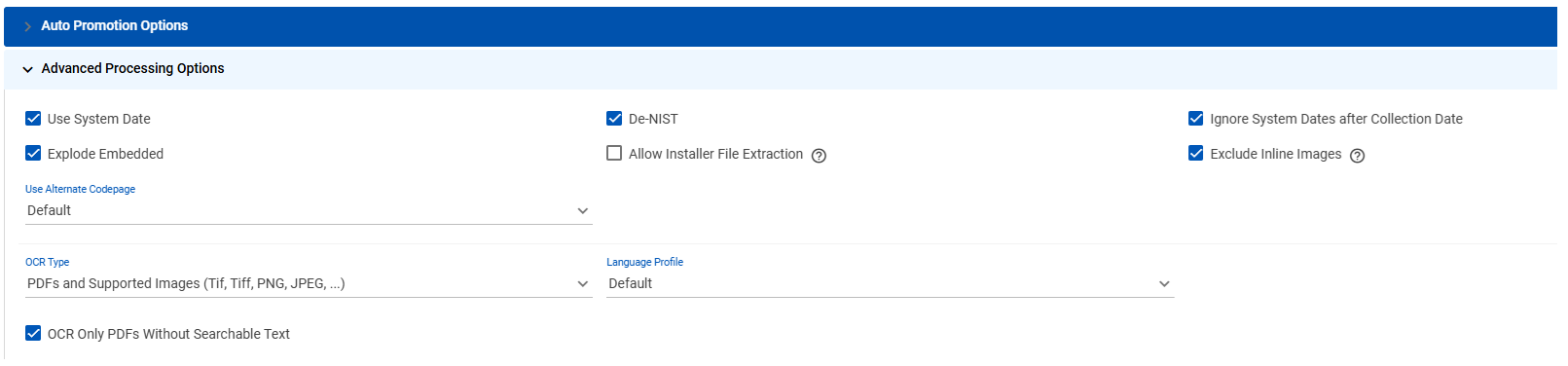
Faster, Simpler OCR: OCR now runs automatically as part of document processing - no more triggering it manually. And configuring it is easier too: one dropdown, one language selector, one checkbox instead of three separate settings.
-
Client benefit: Documents come back already searchable and ready to review.
Before: Three separate threshold dropdowns (JPG, TIFF, PDF) that only flagged documents after processing - then OCR Collection had to be manually triggered for each import job.
After: One dropdown (OCR PDFs and All Image Types | PDFs and TIFFs only | No OCR), one Language Profile selector, one checkbox for PDF searchable text. OCR runs automatically during processing.
-
BUG FIXES
- Fixed an issue where clicking the document type icon in the Status column did not open the Metadata dialog for all document types.